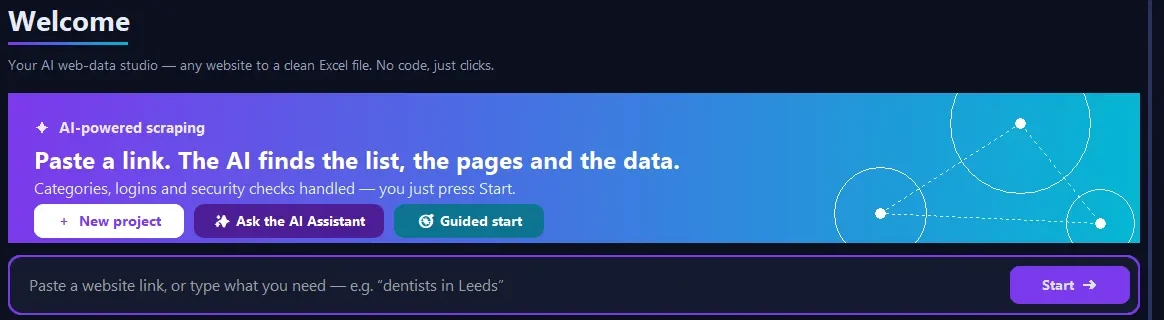
Windows app · also macOS & Linux · free trial, no card

Any website or online shop to a clean spreadsheet

Paste a link, tick the data you want, press Start. Smart Scraper Studio follows the pages for you and exports a tidy Excel, CSV or Google Sheet. No code, no browser extensions to fight with.

100 free rows to test · runs on your own PC · your data stays with you
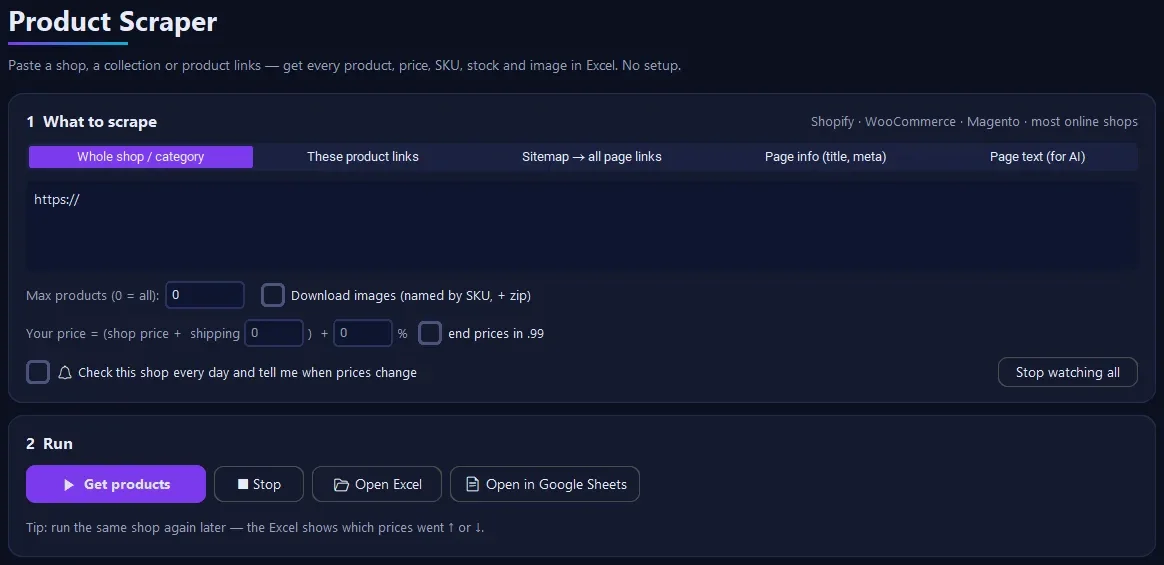
Smart Scraper Studio — Product Scraper screen

Everything you need to turn web pages into data

Built for shop owners, resellers, researchers and analysts who need the numbers in a spreadsheet — today, not after a week of coding.

🖱️

Point and click

Paste a page, the app finds the repeating list (products, items, rows). You tick the fields — name, price, link, image, text.

📄

Follows every page

Next-page buttons, "load more", infinite scroll, categories and sitemaps are handled. One click collects the whole list.

🛒

Product Scraper

Shopify, WooCommerce and most shops: every product, variant, price, SKU, stock and image — even a Shopify-import CSV.

📊

Excel, CSV, Google Sheets

Clean columns, no duplicates. Send results straight to a Google Sheet that updates itself.

🔔

Price watch

Tick "check every day": the app re-reads the shop and tells you which prices went up or down.

⏰

Schedules & templates

Save a job once, re-run it daily or weekly and get only the new rows. Ready templates for common sites.

✨

AI Assistant

Type what you need in plain words — "all products under $50 from this shop" — and the assistant sets it up (AI plan).

🧩

Free Chrome extension

Turn the table, list or products on the page you are looking at into Excel in one click.
How it works

Three steps. Most jobs take a couple of minutes.

Paste a linkA category page, a search result, a shop or a sitemap.
Tick the dataThe app shows the fields it found. Keep what you need.
ExportExcel, CSV or Google Sheets — ready to sort, filter and share.

Product Scraper for online shops

Paste a shop or a collection link. Get the full catalogue in one file.

  • Shopify & WooCommerce catalogues without a browser — fast and gentle
  • Any product page with schema.org data: name, price, sale price, SKU, GTIN, brand, stock, rating
  • Images downloaded and named by SKU (zip)
  • Reseller pricing: your price = shop price + shipping + your %, optional .99 endings
  • Daily price watch with change report
  • Shopify-import CSV and Google Sheets output

We read only public product pages, slowly, and skip any shop that shows a security check.

Smart Scraper Studio home screen

Simple pricing

Start with the free trial. Upgrade when it saves you time. Cancel any time — 14-day money-back guarantee.

Starter
$19/month
  • Up to 25,000 rows a day
  • Point-and-click scraping, all pages
  • Product Scraper + price watch
  • Excel, CSV, Google Sheets
  • Templates
Buy Starter
Pro
$39/month
  • Up to 100,000 rows a day
  • Everything in Starter
  • Scheduled scrapes (daily / weekly, new rows only)
  • Priority email support
Buy Pro
AI
$79/month
  • Unlimited rows
  • Everything in Pro
  • AI Assistant — say what you need in plain words
  • Free AI starter included, or use your own AI key
Buy AI

Secure checkout by card or PayPal. Prices in USD; local sales tax may be added at checkout. Your licence key arrives by email.

Try it free

100 free rows with all Pro features. No card, no account.

Windows 10/11 · 64-bit. Bought a plan? Open the app → Trial / Activate → paste your email and key.

Questions

What can I use it for?

Product catalogues and prices, listings, tables, search results, articles, reviews you are allowed to collect, and any public page with a repeating list. Typical users: shop owners checking competitor prices, resellers importing catalogues, students and researchers.

What is not allowed?

Do not use the app to collect personal data without a legal basis, to send spam, to break a site's terms, or to get past logins, paywalls or security checks. The app slows down on busy sites and skips pages that show a security check. Full rules in our Terms.

Does my data go to your servers?

No. The app runs on your computer and saves files on your computer (or your own Google Drive if you choose Sheets). We only receive an anonymous install id, the app version and your plan, to deliver updates and licences.

Can I cancel?

Yes, any time — you keep access until the end of the period you paid for. New plans have a 14-day money-back guarantee. See the Refund Policy.

Do I need coding or proxies?

No. It is point-and-click. For big jobs the app spreads requests out so the site stays fast.